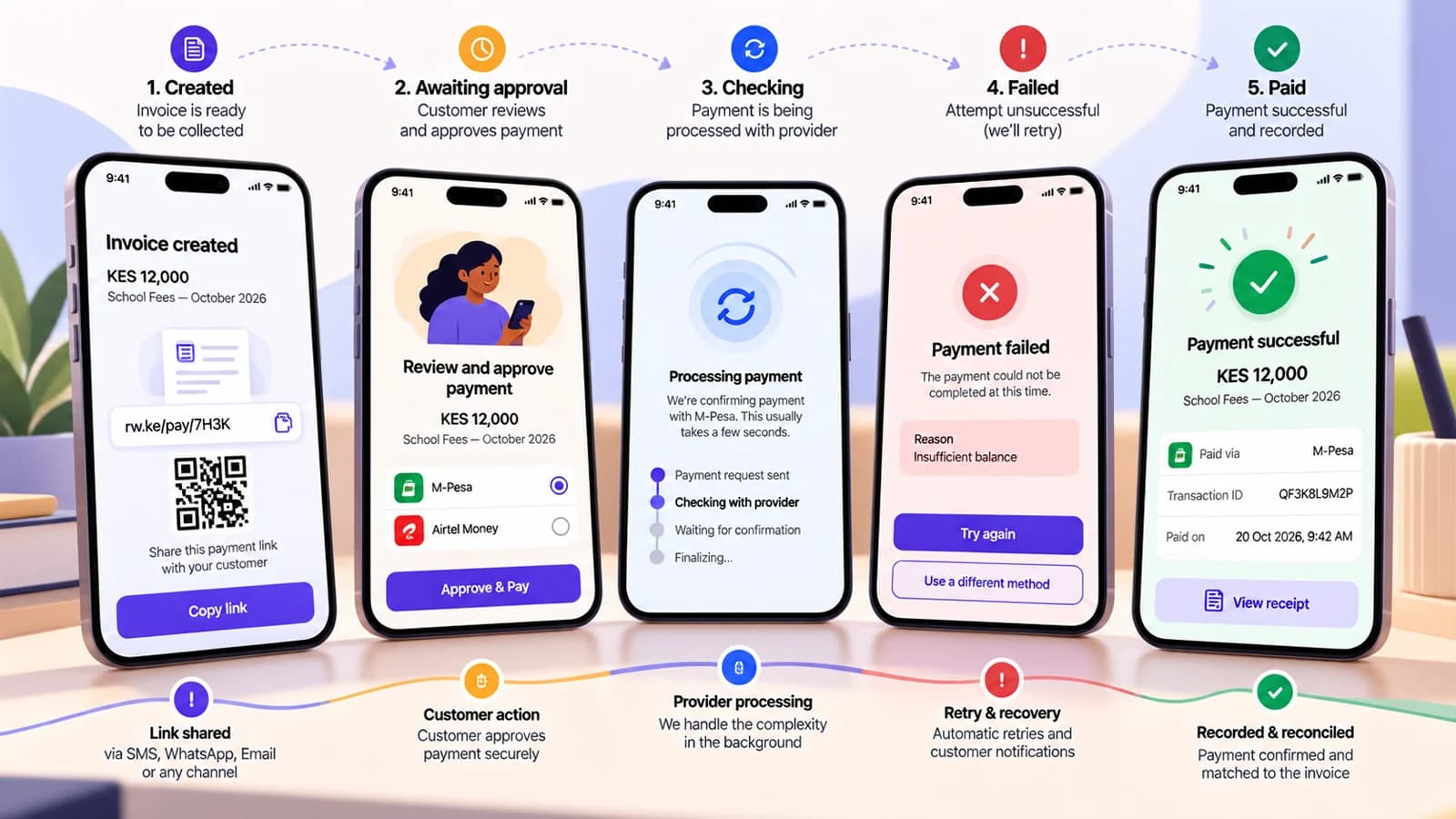
A mobile-money checkout is not one screen. The customer experience changes while the provider is waiting for approval, processing the transaction or returning a final result.
The interface should make the next action obvious without exposing raw provider codes.
Screen 1: Payment request created
What the customer should see
KES 2,500 due for November membership
M-PESA selected
We have sent a payment request to 07•••1234.
Check your phone and confirm the merchant and amount in the M-PESA prompt.
What the system should know
The invoice is still Due. A payment attempt exists. The provider request identifiers have been stored.
Screen 2: Awaiting approval
Headline: Waiting for your approval
Body: Complete the payment on your phone. Do not enter your M-PESA PIN on this website.
The checkout can show a short countdown or refresh affordance if the provider flow has an expected window, but it should not invent a failure before a final result exists.
Screen 3: Checking payment
Headline: We are checking your payment
Body: You do not need to pay again yet. This page will update when the status is confirmed.
Use this state when the customer completed the phone step but the final callback or verification result is not yet available.
Screen 4: Payment did not complete
Headline: Payment was not completed
Body: Your invoice is still due. You can try again or choose another available payment method.
Only show retry when the previous attempt is safely final. If the status is Unknown, stay on the checking state and verify first.
Screen 5: Payment confirmed
Headline: Payment confirmed
Body: KES 2,500 received for November membership.
The page can show a receipt/reference and a link back to the merchant service. Collection reminders should stop at the same time.
Screen 6: Already paid
If the customer reopens an old payment link after the invoice is satisfied, do not start another attempt.
Show that the invoice is already paid and provide the receipt or account link instead.
Keep checkout and billing state separate
The checkout renders the current customer-facing state. The billing system owns whether the invoice is Due, Paid, adjusted or cancelled.
That separation prevents a stale browser tab from becoming the source of truth.
What not to show
- Raw provider error codes without explanation.
- A Retry button while the previous attempt is unresolved.
- A success screen merely because the payment request was accepted.
- A request for the customer's mobile-money PIN inside the merchant website.
- A generic “Something went wrong” message when the system knows the actual safe next action.
For message templates outside checkout, see the payment-reminder guide. For the technical state model, see the asynchronous payment-state guide.